
If you run flexi-job workers in Belgium, the hours they clock should reach your social secretariat without anyone re-typing them. In practice, most employers still export a spreadsheet, reformat it, and key it into Liantis, Securex, Partena, Group S or SD Worx by hand. That manual bridge is where flexi-job payroll errors and compliance gaps appear. Suivo’s API integrations connect your electronic time registration directly to these social secretariats, so verified flexi-job hours flow through automatically, already aligned with the DimDay you filed for that shift. The result: fewer corrections, a cleaner pay run, and a record that matches what you declared to the NSSO.
Why manual re-entry is the weak point for flexi-jobs
Since 1 July 2026, any employer engaging flexi-job workers must have electronic time registration in place. That solves the capture problem, but it does not automatically solve the payroll problem. If the hours still travel from the time system to the social secretariat by copy-paste, three things go wrong:
- Typing errors. A 3-hour shift keyed as 5 hours, or a wrong date, quietly inflates cost and can push total pay above the flexi-wage cap.
- Timing drift. Payroll runs from a spreadsheet that was exported before a late shift correction, so paid hours no longer match worked hours.
- DimDay mismatch. The hours in payroll no longer line up with the same-day Dimona filed for that shift, which is precisely the discrepancy a SIOD inspector looks for.
Flexi-jobs magnify this because the volumes are high, the shifts are short and last-minute, and every single shift carries its own DimDay. A connected platform beats a disconnected export because the hours only ever exist in one verified place.
How verified flexi-job hours flow into payroll
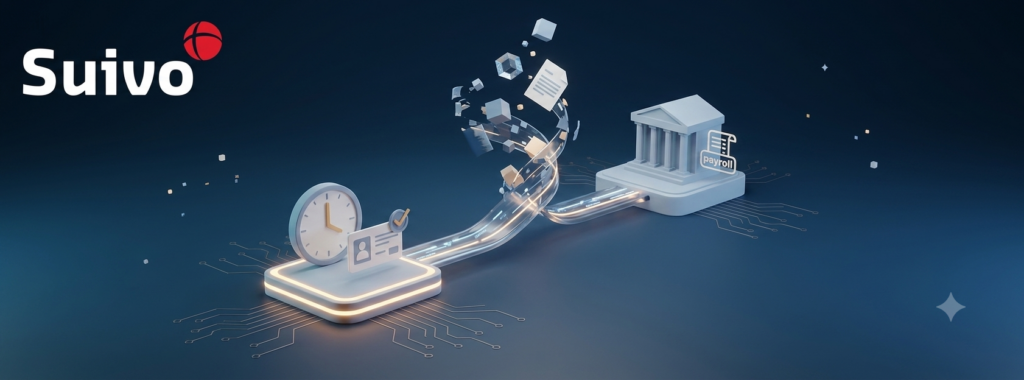
The principle is simple: capture once, validate, then transmit. A flexi-job worker clocks in through the mobile app, a badge, or a fixed check-in pole. Those timestamps are the objective record. A manager validates the shift, and the API integration sends the validated hours to your social secretariat in the format that provider requires.
Because the hours are already tied to the shift that was declared, the export carries the DimDay context with it. You are not reconciling two separate systems at month-end. The declaration said “this worker, this day”; the time record proves “arrived at 18:03, left at 22:11, 15-minute break”; and payroll receives exactly that. Liantis, Securex, Partena, Group S and SD Worx each have their own submission structure, so the integration maps Suivo’s validated record onto the fields your provider expects rather than forcing you to reshape data by hand.
What fields must be in the flexi-job export
For the transfer to replace manual entry, the export has to carry every field your social secretariat needs to run flexi-job payroll correctly:
- Worker identifier (national number or the payroll ID your secretariat uses) so the hours attach to the right person and their flexi-job status.
- Date of the shift, which must match the DimDay for that day.
- Start and end time, plus any unpaid break, giving the exact hours worked.
- The flexi-wage rate, so the gross pay can be checked against the horeca cap of EUR 21 per hour or the 150% sectoral cap that applies elsewhere.
- Hour type, distinguishing normal flexi hours from any night or weekend supplement your joint committee applies.
- Cost centre or department, so the labour cost lands against the right site or outlet.
Get the coding right and the social secretariat calculates the employer’s 28% contribution, produces the payslip, and feeds the quarterly DmfA declaration to the NSSO with no manual patching. Get a field wrong and the pay run either fails validation or, worse, pays hours that do not match the declaration.
How aligning DimDay and hours protects the flexi-job status
The whole flexi-job advantage depends on the day being validly declared. A missing or mismatched DimDay means that day is reclassified as regular employment, with full employer social security contributions due and the worker’s tax advantage lost for that day. Repeated across a busy roster, that becomes a large retroactive NSSO assessment.
Feeding payroll straight from verified time records keeps three numbers in agreement: the hours declared on the DimDay, the hours actually worked, and the hours paid. When those three match, an inspection is a formality. When they are maintained in separate spreadsheets and stitched together by hand, every pay period is a fresh chance for them to drift apart. Suivo can flag a scheduled flexi-job worker who does not yet have a DimDay for that day, so the gap is caught before the shift starts, not during an audit. For the full picture of what electronic capture must record, see the guide to electronic time registration for flexi-jobs.
Do you need to replace your payroll setup to integrate?
No. You keep your social secretariat. The integration sits between your electronic time registration and Liantis, Securex, Partena, Group S or SD Worx, sending validated hours across. You can start with a single connection for the flexi-job hours that are giving you the most manual work today, then extend to other worker categories, other sites, or additional modules such as absence and scheduling later. That modular approach means no rip-and-replace: you add capability as you need it. Understanding the true cost of a flexi-job to the employer and the wider 2026 employer rules helps you decide which connection to prioritise first.
Connect your flexi-job hours to payroll without re-typing
Suivo captures verified flexi-job hours, aligns them with the DimDay you filed, and sends them straight to your social secretariat, so payroll is faster, cleaner, and audit-ready. Start with one integration and expand across your workforce when you are ready.